- Home
- All Filaments
- PLA Translucent Gradient Filament – Luminous Color Blend, 1.75mm, 1kg
1
/
of
6
Free Shipping
15-Day Easy Returns
Lifetime Product Support
Secure Payment

Ends in
00
D
:
00
H
:
00
M
:
00
S
PLA Translucent Gradient Filament – Luminous Color Blend, 1.75mm, 1kg
$16.42
/roll
(Lowest price for 20+ rolls)
MSRP:$21.90
Save $5.48 per kg
Buy more, save more.
View bulk pricing ›
1 pcs
Free Shipping
5 pcs
$18.61
15% OFF
10 pcs
$17.52
20% OFF
20 pcs
$16.42
25% OFF
0 rolls

Color
Quantity
Price

Light pink

Blue white

Green white

Blue-green

Blue white orange
Subtotal
0 items
📍 Your location: United States
Light pink —Ships internationally
Estimated Sep 24 – Oct 6
Couldn't load pickup availability
Payment
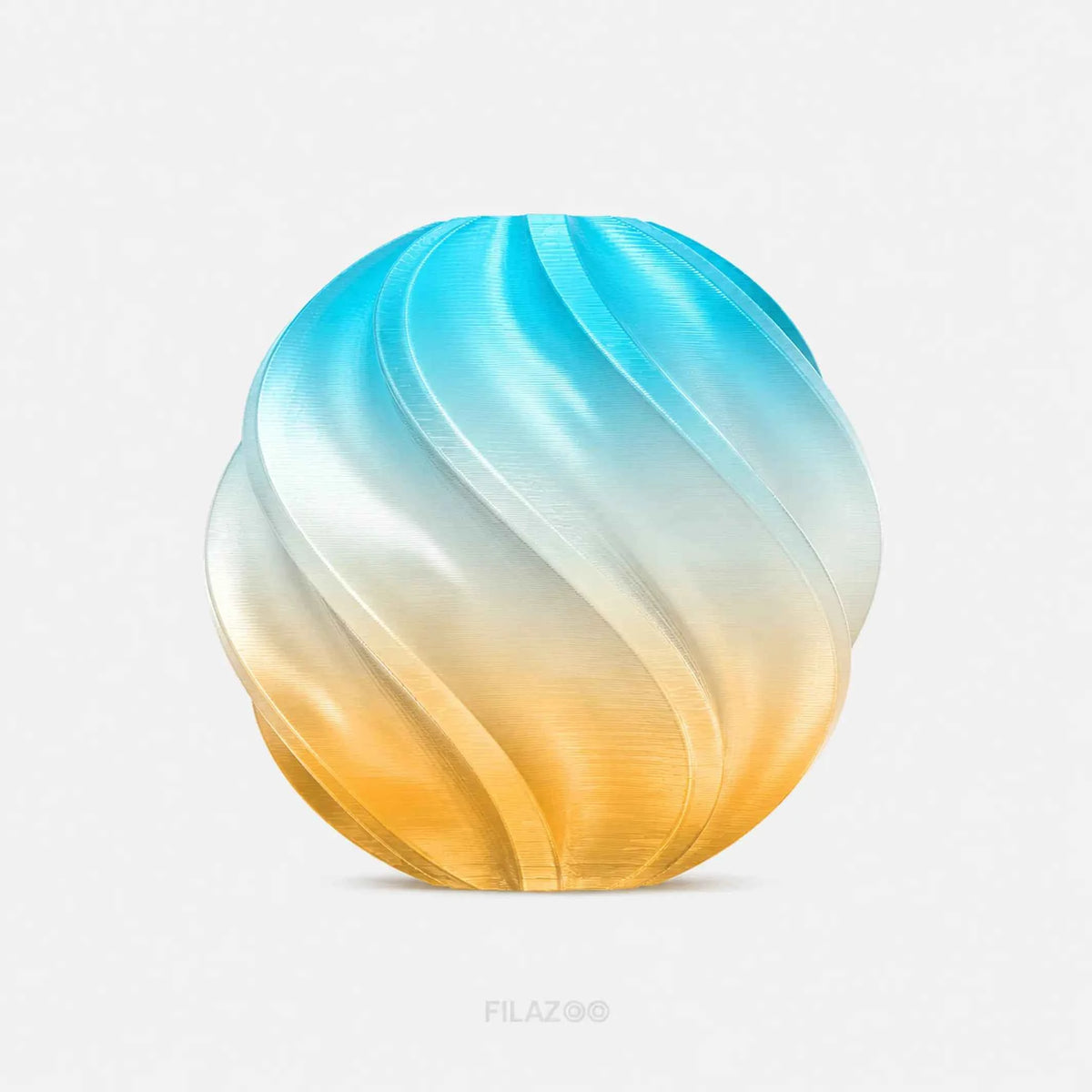
Create luminous multicolor prints with Filazoo PLA Translucent Gradient Filament. Its colors transition gradually along a continuous filament strand, while the translucent finish allows light to pass through the printed layers for added depth.
Produce distinctive lampshades, vases, sculptures, figurines, decorations, and artistic models using one filament and a standard single-nozzle printer. The final color placement and translucency naturally vary with the model’s size, wall thickness, infill, lighting, and filament consumption.
Key Features
- Gradual color transitions along one continuous filament strand
- Translucent finish with attractive light-diffusing effects
- Creates multicolor models using a single nozzle
- No filament switching or multicolor system required
- Each print develops a unique color arrangement
- Smooth and consistent extrusion
- Low warping under suitable printing conditions
- Suitable for beginners and experienced makers
- Ideal for illuminated and decorative models
- Available in five gradient color combinations
Diameter:
1.75 ± 0.02 mm*
Net Weight:
1 kg per spool
Gross Weight:
Approximately 1.3 kg per spool*
Filament Length:
Approximately 330–340 m*
Important Appearance Note:
This material is translucent rather than optically transparent. Printed parts diffuse light, and their clarity depends on wall thickness, layer height, temperature, speed, infill, color, and model design.
Care Tip:
Store the filament in a sealed bag or dry box with fresh desiccant. Moisture can cause bubbles and surface imperfections that reduce the translucent effect.
Share
Need to Know
Product Features
Service
- Free Shipping
- 15-Day Easy Returns
- Lifetime Product Support
Payment
Secure checkout is available with these payment methods:


PLA Translucent Gradient Filament – Luminous Color Blend, 1.75mm, 1kg
$21.90
Subtotal:
$21.90
$21.90
Related Model
-
-
-
Farmhouse Coin Bank
23 4 -
Rocket Stress Relief Toy
20k 215
FAQ
Is PLA Translucent Gradient completely transparent?
No. It lets light through but doesn't reach the optical clarity of glass — FDM layer lines, pigments, walls, and infill all scatter light, which is what creates the luminous, frosted look. Think light-diffusing rather than see-through.
How does the filament change color?
The colors are manufactured sequentially along the strand, so they appear naturally as the printer consumes material from the spool. Nothing in the printer selects or mixes them.
Will two copies have identical color patterns?
Not necessarily. If each print begins at a different position in the gradient sequence, the colors and transition points land differently. Print copies together in one job for a matched set.
How can I make the print more translucent?
Use a well-calibrated temperature, consistent extrusion, fewer walls, and low or no infill. Vase mode works especially well for thin decorative pieces. Results still vary by color and model design — a temperature tower is the fastest way to find the setting that gives the clearest result.
How can I make the print diffuse more light?
Do the opposite of maximizing clarity: add walls or thickness, or use an infill pattern that scatters light. A textured outer surface also softens the glow nicely. This is the setup you want for lampshades and diffusers rather than clear panels.
Why does my print look cloudy or contain bubbles?
Either the filament has absorbed moisture or the nozzle is running too hot. Dry the spool first — how to dry filament at home compares the options — then check the extrusion path and run a temperature test. Keeping it dry afterwards is what stops it recurring: see how to store filament properly.
Can I use it for lampshades?
Yes — decorative lampshades and light diffusers are one of its best uses. Pair it with cool-running LEDs and keep the print away from hot bulbs and other heat sources, since PLA softens at fairly modest temperatures. For more decorative lighting ideas, see glow-in-the-dark and UV color-changing prints.
Can my slicer preview the color arrangement?
Not accurately, unless the precise starting point and transition lengths are known. Your slicer estimates filament consumption reliably, but the final color placement still varies from print to print.
What is the difference between PLA Translucent Gradient and PLA Rainbow?
Light transmission. PLA Translucent Gradient lets light pass through the printed layers for a luminous, diffusing effect, which makes it the one to choose for lampshades and backlit pieces. Standard PLA Rainbow is opaque, with a conventional PLA appearance and the same gradient in solid color.
Do I need a multicolor printer?
No. All the colors live in one continuous 1.75mm strand, so a compatible single-extruder printer produces the complete gradient. To combine it with other spools on a multi-material setup, see setting up Filazoo filament in your AMS.
Can I control where each color appears?
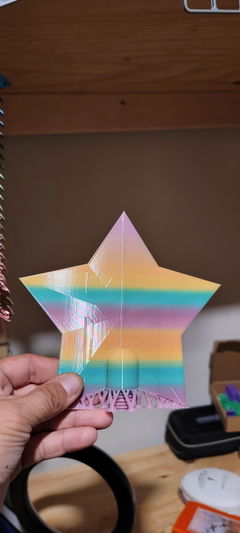
Not precisely, on a standard continuous print. Where the colors land depends on your starting position on the spool, the transition length, model size, walls, infill, supports, and total filament consumed.
You can advance the filament before starting to begin closer to a preferred color, though that uses extra material — changing filament mid-print covers doing it cleanly.
Why does my small model show only one color?
It probably isn't consuming enough filament to reach the next transition. Scale the model up, print several copies together, raise the wall count, or pick a design that uses more material. To start nearer a specific color, changing filament mid-print covers advancing and purging safely.
Do the colors change according to model height?
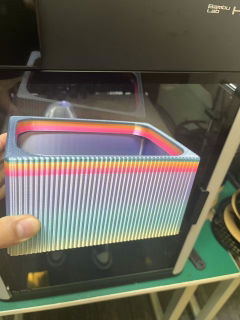
Not necessarily. Color progression follows filament consumption rather than height — wide layers, infill, walls, supports, and multiple objects on the plate all pull material faster and move the colors along more quickly relative to height. A thin tall vase changes color far faster than a wide solid base of the same height.
Is it suitable for functional parts?
For light-duty objects and prototypes, yes — but the reason to buy it is how it looks. For heavily loaded, impact-resistant, heat-resistant, or safety-critical parts, choose a functional material: PLA+ vs. PLA Basic covers the everyday step up, and PC vs. ABS vs. ASA vs. PETG the engineering end.
What's in the Box
* The color and texture of the filament are subject to the physical product. Images are for reference only.
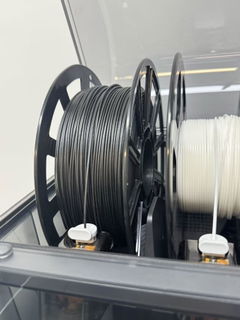
Filament with spool