Free Shipping
15-Day Easy Returns
Lifetime Product Support
Secure Payment
 Ends in
00
D
00
H
00
M
00
S
Ends in
00
D
00
H
00
M
00
S
Metallic PETG Filament – Reflective Metallic Finish, 1.75mm, 1kg
Metallic PETG Filament – Reflective Metallic Finish, 1.75mm, 1kg
$14.17
/roll
(Lowest price for 20+ rolls)
Buy more, save more.
View bulk pricing
1 pcs
Free Shipping
5 pcs
$16.06
15% OFF
10 pcs
$15.12
20% OFF
20 pcs
$14.17
25% OFF
0 rolls

Gold
Fast delivery

Silver
Fast delivery

coffee gold
Fast delivery

Galaxy Deep Violet
Nebula Blue Shade
Subtotal
0 items
Your location: United States
Fast USA ShippingGold —In stock in USA
Order today → Estimated Sep 17–24
Payment
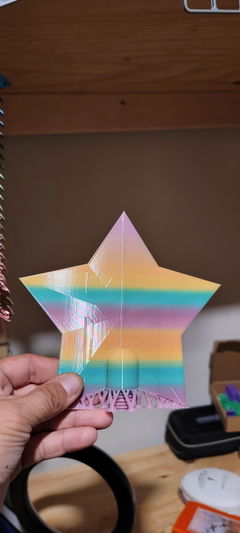
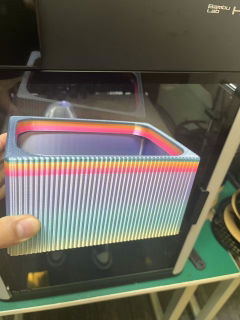
Give durable prints a polished, metal-inspired appearance with Filazoo Metallic PETG Filament. Its reflective color effect adds visual depth to curved surfaces and fine details while the PETG base delivers strong layer adhesion and practical toughness.
It is ideal for trophies, cosplay props, decorative hardware, display models, planters, signs, prototypes, and parts that need both a premium appearance and everyday durability. Available in five metallic shades.
Key Features
- Smooth metallic-style sheen directly from the printer
- Highlights curves, contours, and model details
- Durable PETG base with strong layer adhesion
- Low warping and consistent extrusion
- No sanding, painting, or polishing required for the color effect
- Suitable for decorative and lightly functional parts
- Available in five metallic shades
Diameter:
1.75 ± 0.02 mm
Net Weight:
1 kg per spool
Recommended Nozzle Temperature:
230–250°C
Recommended Bed Temperature:
70–90°C
Finish Tip:
Use consistent outer-wall speed and temperature for the most uniform metallic appearance. Surface shine can vary with layer height, print orientation, temperature, and lighting.
Care Tip:
Store sealed with desiccant and dry at 60–65°C for 6–8 hours if moisture affects extrusion or surface quality.
Need to Know
Product Features
Service
- Free Shipping
- 15-Day Easy Returns
- Lifetime Product Support
Payment
Secure checkout is available with these payment methods:


Downloads
What's in the Box
* The color and texture of the filament are subject to the physical product. Images are for reference only.